

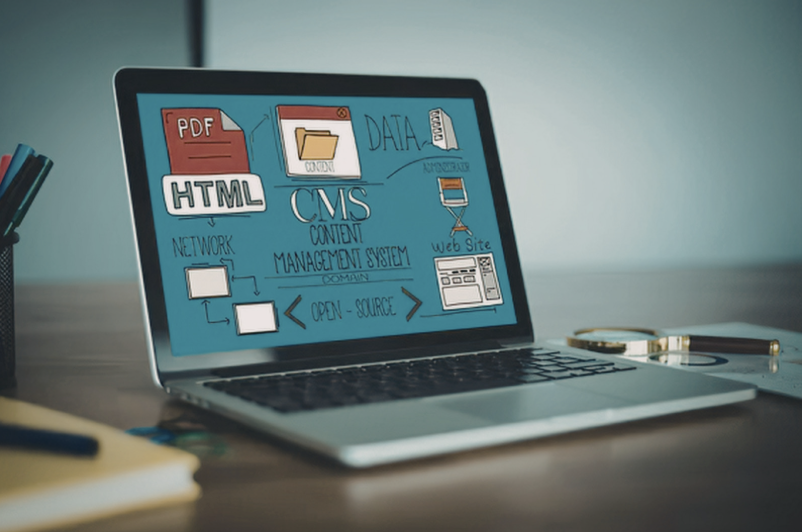
A Content Management System determines far more than how editors publish website pages. The architecture can influence development flexibility, content workflows, performance, integrations, security and how easily an organisation can introduce new digital channels later.
The headless CMS vs traditional CMS decision therefore needs to begin with business requirements rather than technology trends. A traditional CMS may provide the most efficient solution for a straightforward content-led website, while headless architecture can offer greater flexibility for organisations managing multiple websites, applications or customised digital experiences.
For companies targeting the United States, the decision may also need to account for accessibility, secure software development and the operational capability required to maintain a more distributed technology architecture.
How Web Development Differs Between Traditional and Headless CMS Platforms
A traditional Content Management System (CMS) generally combines content creation, templates and website presentation inside one platform. Editors manage information while the CMS determines how it is rendered to visitors.
This integrated approach can simplify Web Development because page building, previews, themes and administrative functionality are often provided within the same environment.
A headless CMS separates content management from the presentation layer. Content is stored and organised in the CMS but delivered to websites, mobile applications or other interfaces through Application Programming Interfaces (APIs).
Developers then build the frontend independently using the technologies most appropriate for the product.
This distinction changes the technical architecture. A headless implementation may involve a separate frontend application, hosting environment, API layer, deployment process and additional services for capabilities that a traditional CMS might include by default.
The extra flexibility can be valuable, but it also creates more components to develop and maintain.
When a Traditional CMS Is the Better Fit
Traditional CMS platforms remain practical for many business websites.
A company publishing service pages, articles, resources and landing pages may gain little from separating the content-management and presentation layers. An integrated CMS can provide a faster implementation and simpler editing experience.
Advantages can include:
- Familiar content-publishing workflows
- Visual page editing
- Faster initial development
- Established themes and extensions
- Straightforward preview functionality
- Fewer separate infrastructure components
Traditional platforms can still support custom design and integrations. They are not limited to basic websites simply because the frontend and CMS are connected.
Challenges tend to emerge when organisations rely heavily on plugins or require the platform to support functionality substantially outside its original architecture.
Over time, accumulated extensions and custom modifications may increase maintenance effort or restrict future development.
A traditional CMS is therefore often a strong choice when the organisation primarily needs one website and values ease of content administration over extensive architectural flexibility.
When a Headless CMS Creates More Business Value
Headless architecture becomes more useful when content must be distributed across several digital experiences.
A company might want product information to appear simultaneously on its website, mobile application and customer portal. A headless platform can store that information centrally and deliver it to each interface through APIs.
This creates opportunities for greater content reuse.
A headless CMS may be appropriate when organisations require:
- Multiple websites sharing content
- Mobile applications alongside the website
- Highly customised frontend experiences
- Independent frontend deployments
- Complex third-party integrations
- Structured content reused across channels
- Greater control over frontend technology
- A composable digital architecture
Development teams can select frontend frameworks according to product requirements rather than being restricted by the CMS presentation layer.
The trade-off is technical responsibility.
Preview functionality, forms, search, redirects and other common website capabilities may need separate implementation or services. Teams must also manage the connections between those components.
Headless architecture therefore creates the most value when flexibility solves a real operational or product requirement.
Compare Content Workflows and Editor Experience
The technical architecture is only one side of CMS selection.
Marketing, communications and content teams will use the platform regularly, so publishing experience should influence the decision.
Traditional systems usually connect content directly with the page. Editors may be able to see the layout while creating or updating information, which can be useful for campaign pages and visually structured content.
Headless platforms usually treat content as reusable structured information.
Instead of thinking exclusively in pages, teams may work with content types such as products, services, authors, events or locations. Different interfaces can then use the same information.
This structure can improve consistency across multiple channels, but content preview and page composition may require additional development.
Organisations should consider:
- Who publishes content?
- How frequently does content change?
- Are visual editing tools important?
- Does content require approval workflows?
- Will information be reused across channels?
- Do editors need real-time previews?
- How dependent should content teams be on developers?
A technically sophisticated system that slows everyday publishing can reduce operational efficiency.
Performance and Scalability Depend on Implementation
Headless CMS platforms are often associated with performance, but architecture alone does not guarantee a fast website.
Independent frontend development can allow teams to use techniques such as static generation, caching and Content Delivery Networks (CDNs). This gives engineers considerable control over how pages and assets reach users.
Traditional CMS websites can also perform effectively when themes, plugins, hosting and media are properly optimised.
The deciding factor is implementation quality.
Scalability follows a similar principle. Headless architecture can allow frontend applications, APIs and supporting services to scale separately, which can be valuable for high-traffic platforms or businesses operating several digital channels.
Smaller websites may not need this level of separation.
Introducing several independent services for a relatively simple corporate site can add infrastructure and maintenance effort without creating meaningful customer value.
Businesses should therefore plan for realistic growth rather than building architecture around hypothetical enterprise requirements.
APIs and Integrations Become Central to Headless Architecture
Integrations are relevant to both CMS models, but they become particularly important in headless environments.
Application Programming Interfaces (APIs) connect the content platform with frontend applications and can also link the wider digital environment with Customer Relationship Management (CRM), Enterprise Resource Planning (ERP), ecommerce, search or marketing platforms.
Clear API design makes these connections easier to maintain.
Authentication, permissions, versioning, error handling and monitoring should be considered during development rather than added after integrations become business-critical.
Headless implementations can be particularly useful when the CMS forms one component of a larger technology ecosystem.
For example, product information might originate in one system, customer details in another and marketing content in the CMS. APIs allow each application to use the information it needs without requiring everything to be stored in one platform.
However, every additional connection creates another dependency that needs monitoring and maintenance.
Security and Maintenance Need Long-Term Planning
Neither traditional nor headless architecture eliminates security responsibilities.
A traditional CMS may include its content management, templates, plugins and administration in one environment. This can simplify ownership, but unsupported plugins or outdated components can increase risk.
A headless approach separates the CMS from the customer-facing frontend, but additional services still need to be secured. APIs, hosting infrastructure, authentication and deployment pipelines all become part of the security boundary.
For organisations developing software for the United States market, NIST’s Secure Software Development Framework (SSDF) provides practices designed to integrate security throughout software development. NIST’s current work includes a draft SSDF Version 1.2 and updated DevSecOps guidance published during 2026.
The framework emphasises secure and reliable software development rather than treating cybersecurity as something performed only before release.
CMS selection should therefore consider:
- Security updates
- Dependency management
- API protection
- Authentication
- Access controls
- Monitoring
- Deployment practices
- Vendor support
- Technical ownership
A system that offers extensive flexibility but exceeds the organisation’s ability to maintain it can create greater long-term risk and cost.
United States Considerations for CMS Architecture
The fundamental comparison between traditional CMS vs headless CMS is market-neutral, but organisations serving the United States should consider regional accessibility and security requirements during implementation.
Accessibility is particularly important for customer-facing digital experiences. U.S. Department of Justice guidance explains that businesses open to the public and state and local governments need to ensure that their online goods, services and programmes are accessible to people with disabilities.
The architecture itself does not determine accessibility. A headless or traditional CMS can both support accessible experiences when frontend components, headings, forms, navigation, image alternatives and keyboard interaction are implemented appropriately.
For U.S. state and local government websites and mobile applications, more specific Title II requirements apply. The current rule uses WCAG 2.1 Level AA, with compliance dates extended in 2026 to April 26, 2027 for larger public entities and April 26, 2028 for smaller entities and special district governments.
Security should also influence architecture selection. NIST’s current SSDF programme describes secure development practices as activities that should be incorporated into the software development lifecycle rather than treated as an isolated security exercise.
These requirements do not automatically make headless architecture better. They reinforce the importance of choosing an architecture that development and content teams can operate, test and maintain consistently.
How Dev Centre House Supports CMS and Web Development
Dev Centre House can support organisations evaluating headless CMS or traditional CMS architectures for local and international digital platforms, including systems intended for users in the United States.
The process can begin with an assessment of content operations, user journeys, publishing requirements, integrations and expected future channels.
Traditional CMS projects may involve UX/UI design, Web Development, custom functionality, content migration, integrations and performance optimisation.
Headless implementations can involve API development, custom frontend engineering, cloud infrastructure, authentication and integration with CRM, ERP, ecommerce or other business systems.
Existing websites can also be modernised incrementally where a complete replacement is unnecessary. Software Testing and Quality Assurance can validate functionality, integrations, accessibility, responsive behaviour and performance before deployment.
The aim is not to favour one architecture by default. Dev Centre House can support organisations in selecting an approach that balances content-team usability, technical flexibility, security, maintenance requirements and future growth.
Conclusion
The headless CMS vs traditional CMS decision should reflect how an organisation publishes content, develops digital experiences and expects its technology environment to evolve.
Traditional CMS platforms remain practical for organisations that value integrated publishing, straightforward website management and lower infrastructure complexity. Headless architecture can create greater flexibility where content must support multiple channels, specialised frontend experiences and broader system integrations.
For businesses serving the United States, accessibility and secure development should also be built into implementation planning. Neither CMS architecture provides these outcomes automatically; they depend on how the platform and frontend are designed, developed, tested and maintained.
Dev Centre House can support Web Development across both models, helping organisations select a CMS architecture that provides long-term value without introducing technical complexity that the business does not genuinely need.
FAQs
1. What is the difference between a headless CMS and a traditional CMS?
A traditional CMS combines content management and presentation within one platform. A headless CMS separates content from the frontend and distributes it to websites or applications through APIs.
2. Is a headless CMS better than a traditional CMS?
Not automatically. Headless architecture provides greater flexibility, while traditional systems can be simpler to develop, operate and manage for straightforward website requirements.
3. When should a business choose a headless CMS?
A headless CMS can make sense when content needs to be reused across several websites or applications, when highly customised frontend experiences are required, or when the CMS must integrate into a larger digital ecosystem.
4. Can a traditional CMS support complex integrations?
Yes. Traditional systems can integrate with CRM, ERP, ecommerce and other applications through APIs. The appropriate architecture depends on the scale and complexity of those requirements.
5. How can Dev Centre House support CMS development?
Dev Centre House can support CMS selection, UX/UI design, traditional and headless Web Development, API integrations, cloud infrastructure, content migration, testing and platform modernisation.